Hire a WooCommerce Developer in India: Complete Guide

WooCommerce looks simple because it installs as a WordPress plugin, but a serious store involves hosting, theme code, products, payments, shipping, taxes, extensions, performance and ongoing updates. Hiring someone who only knows basic WordPress page building can create a fragile ecommerce stack. This guide explains what to check before you hire a WooCommerce developer in India and how to separate standard configuration from genuine ecommerce engineering.
Table of Contents
- Why This Decision Is More Important Than It Looks
- Ask How the Developer Approaches Plugins
- Test the Entire Purchase Journey
- Mobile Quality Checklist
- SEO and Information Architecture
- Performance and Technical QA
- Ownership and Access
- Recurring Costs and Dependencies
- How to Compare Options
- Common Red Flags
- Pre-Decision Checklist
- What to Measure After Launch
- First 90 Days After Launch
- Final Takeaway
- WooCommerce Hiring Should Start With the Store's Operational Model
- Ask How the Developer Handles Plugin Conflicts
- Hosting Knowledge Matters More for WooCommerce Than for a Simple Blog
- Migration Experience Should Include Orders, Customers and SEO Decisions
- Checkout Customisation Should Be Conservative
- Ask Who Owns Premium Extensions
- Use a Paid Technical Audit for Complex Existing Stores
- Post-Launch Support Should Include Order-Critical Testing
- Final WooCommerce Hiring Rule
- Ask How Product Data Is Structured
- Subscriptions, Memberships and Bookings Need Specialist Testing
- Email Deliverability Is Part of Ecommerce Reliability
- Ask About Database and Order-Table Strategy
- Use a Launch Freeze for High-Risk Stores
- Final Interview Questions
- Performance Work Should Include Checkout and Account Pages
- Ask How Custom Code Is Packaged
- Keep a Store Dependency Register
- Use Real Orders in Final QA
- WooCommerce SEO Needs Product and Category Discipline
- Final Due-Diligence Step
- Final WooCommerce Selection Rule
- Final Buyer Check
- Frequently Asked Questions
WooCommerce Hiring Checklist
| Area | What to verify |
|---|---|
| WordPress | theme/block development, plugin discipline |
| Commerce | products, variants, checkout, orders |
| Payments | gateway setup and testing |
| Shipping/tax | rules and extensions |
| Performance | hosting, caching, scripts, database |
| SEO | product/category structure, redirects |
| Maintenance | updates, backups, staging |
| Ownership | hosting, domain, admin, licenses |
Why This Decision Is More Important Than It Looks
WooCommerce gives you significant control, which also means more responsibility. The quality of hosting, plugins and custom code can materially affect speed and maintenance. A developer's judgement about what not to install can be as important as their ability to add features.
Ask How the Developer Approaches Plugins
A mature WooCommerce store can depend on many extensions. Each one introduces updates, licenses and compatibility risk. Ask which requirements can be handled natively, which need a well-supported extension and which genuinely require custom code.
The strongest answer is usually not “we can install a plugin for everything.” It is a controlled stack with clear reasons for each dependency.
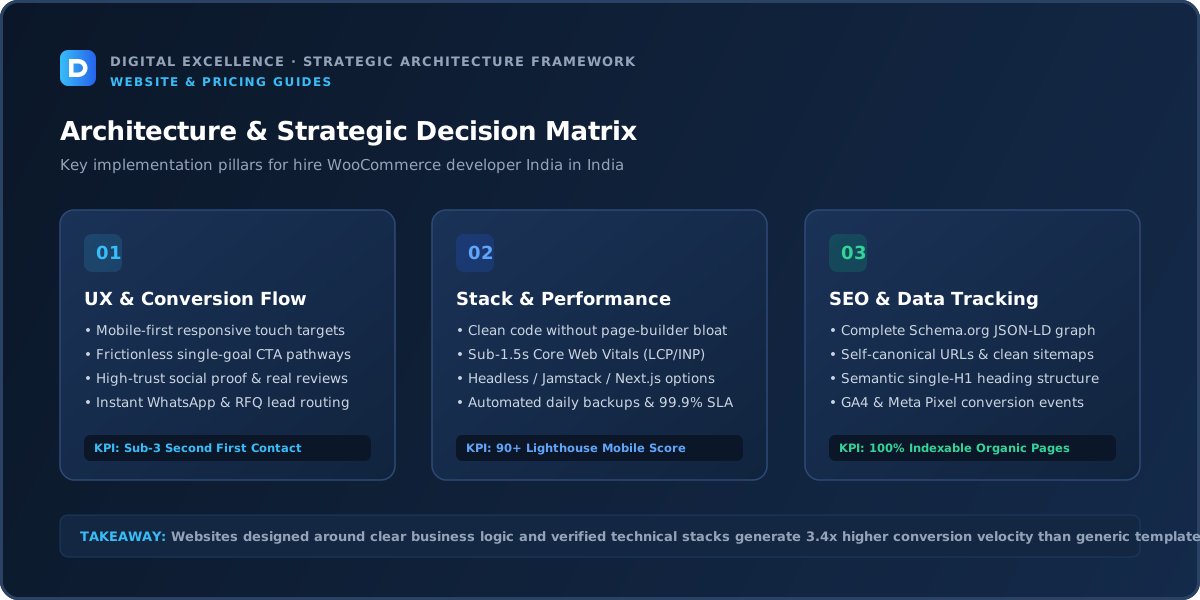
Test the Entire Purchase Journey
Portfolio review should include category pages, product variants, cart, checkout, coupons, payment failures, shipping calculations and transactional emails. If subscriptions, memberships or bookings exist, test those flows too.
The store's value is in reliable transactions, not only its homepage design.
Mobile Quality Checklist
In this Hire a WooCommerce Developer in India: Complete Guide context, mobile quality checklist should support the exact buying decision behind “hire WooCommerce developer India”, including what shoppers need to know and what the team must maintain after launch.
Review the project on real mobile widths, not only a desktop browser. Check navigation, heading size, forms, tables, images, sticky elements and the primary conversion path. The site should remain readable without forcing the user to zoom or dismiss intrusive overlays.
For long-form SEO pages, typography matters too. A developer who can make a 2,000-word buying guide comfortable on a phone is solving a different problem from someone who only creates impressive hero sections.
SEO and Information Architecture
In this Hire a WooCommerce Developer in India: Complete Guide context, seo and information architecture should support the exact buying decision behind “hire WooCommerce developer India”, including what shoppers need to know and what the team must maintain after launch.
Important pages should have a clear purpose, descriptive URLs, one H1, unique titles and meta descriptions, self-canonicals, sitemap coverage and contextual internal links. Google recommends crawlable links with meaningful anchor text so users and search engines can discover related pages.
If an existing site is being changed, redirects and migration planning must be part of the scope. Technical SEO should be visible in the implementation checklist rather than implied by the word “SEO-friendly.”
Performance and Technical QA
In this Hire a WooCommerce Developer in India: Complete Guide context, performance and technical qa should support the exact buying decision behind “hire WooCommerce developer India”, including what shoppers need to know and what the team must maintain after launch.
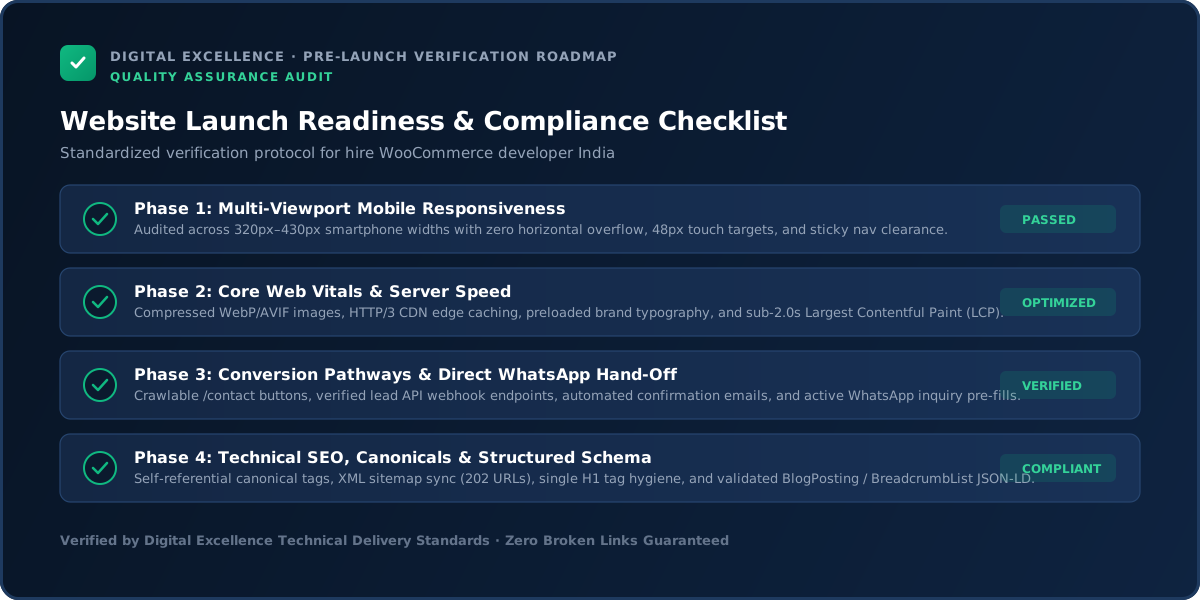
Before launch, test the primary templates for loading, interaction and visual stability. Google recommends good Core Web Vitals as part of an overall good page experience. Performance work should focus on real bottlenecks such as media, fonts, scripts, plugins or apps.
QA should also include forms, validation, error states, analytics events, links and the critical user journeys. A fast page with a broken contact form is not a successful launch.
Ownership and Access
The business should control the domain, hosting, WordPress administrator access and payment accounts. Premium plugin licenses should be documented; understand whether they are owned by you or depend on the developer's agency license.
Recurring Costs and Dependencies
WooCommerce itself is open source, but hosting, premium extensions, payment processing, email delivery, security tools and ongoing maintenance can create recurring cost. Ask for an annual dependency list.
For a related buying decision, see WordPress Developer Cost in India.
How to Compare Options
Compare developers on commerce-specific live work, hosting and performance knowledge, plugin judgement, migration experience, QA process and support. A cheaper build that accumulates dozens of fragile extensions can cost more to maintain.
Common Red Flags
Red flags include no staging process, shared admin credentials, unexplained premium plugins, no backup plan, promises that one caching plugin will solve every performance issue and no test-order checklist.
Pre-Decision Checklist
In this Hire a WooCommerce Developer in India: Complete Guide context, pre-decision checklist should support the exact buying decision behind “hire WooCommerce developer India”, including what shoppers need to know and what the team must maintain after launch.
Write down the project goal, required pages or workflows, platform, content owner, integrations, SEO scope, analytics, migration needs, mobile requirements, revisions, timeline, payment milestones, account ownership, handover and support.
Mark anything not specified as unknown. Unknowns are where budget surprises and disputes usually appear.
What to Measure After Launch
Track product discovery, add-to-cart, checkout completion, purchase tracking, failed payments and mobile performance. Also monitor plugin errors and hosting resource usage after launch.
First 90 Days After Launch
In this Hire a WooCommerce Developer in India: Complete Guide context, first 90 days after launch should support the exact buying decision behind “hire WooCommerce developer India”, including what shoppers need to know and what the team must maintain after launch.
Monitor technical errors, analytics, Search Console, form or ecommerce events and real user feedback. Fix high-impact issues before adding decorative features.
Use actual queries and conversion data to improve content and internal links. The first version should be a strong foundation for iteration, not a frozen asset that cannot change.
Final Takeaway
Hire a WooCommerce developer for ecommerce judgement and operational reliability, not only for the ability to edit WordPress pages.
The page should help a buyer make a better decision even if they never become a client. That is the standard for durable SEO content: useful detail, honest limitations, clean structure, contextual links and an excellent mobile reading experience.
WooCommerce Hiring Should Start With the Store's Operational Model
Before evaluating developers, document how products are managed, who fulfils orders, which payment methods matter, how shipping is calculated, which extensions are already critical and how frequently the team changes promotions. Two stores using the same WooCommerce plugin can have completely different operational complexity.
This context helps a developer recommend hosting, extensions and customisation responsibly. Without it, the proposal can become a generic WordPress build that ignores the work happening after checkout.
Ask How the Developer Handles Plugin Conflicts
WooCommerce stores often depend on payment, shipping, tax, subscriptions, search, reviews, optimisation and marketing extensions. Ask how the developer tests compatibility and what they do when two plugins modify the same checkout or product behaviour.
A mature answer should mention staging, backups and isolating changes before production. The goal is not zero plugins; it is controlled dependencies with a repeatable update process.
Hosting Knowledge Matters More for WooCommerce Than for a Simple Blog
A store generates dynamic cart, account and checkout activity that should not be cached like ordinary content. Ask how the developer evaluates hosting resources, PHP workers, object caching, database performance and traffic spikes.
You do not need to become a server expert, but the developer should understand why ecommerce places different demands on WordPress infrastructure.
For a useful scope comparison, read WooCommerce Store Not Converting? Diagnose These 14 Problems.
Migration Experience Should Include Orders, Customers and SEO Decisions
If you are moving from another platform or rebuilding an existing WooCommerce store, clarify which data will migrate: products, customers, orders, coupons, reviews or subscriptions. Not every project needs every historical record.
At the same time, preserve important URLs or create relevant redirects. A migration is both a commerce-data project and a website migration.
Checkout Customisation Should Be Conservative
Every additional checkout field, script or custom validation rule increases the number of ways an order can fail. Ask why each customisation is necessary and whether a native or extension-supported approach is safer.
Conversion design should reduce friction without making the checkout difficult to update when WooCommerce or payment gateways change.
Use a Paid Technical Audit for Complex Existing Stores
If the store already has dozens of plugins, custom checkout code or performance problems, ask a shortlisted developer to audit the stack before giving a final fixed quote. The audit can identify abandoned plugins, duplicated functionality and risky custom code.
This is often more accurate than asking vendors to estimate a rebuild from screenshots.
Post-Launch Support Should Include Order-Critical Testing
After updates, test add-to-cart, checkout, payment success/failure, shipping, transactional email and customer account flows. A store can look fine while an order path is broken.
Agree who performs this regression testing and how critical issues are escalated.
Final WooCommerce Hiring Rule
Choose a developer who leaves the store easier to understand than they found it: cleaner plugin choices, documented customisations, reliable backups, business-owned accounts and a clear support process. WooCommerce flexibility is valuable only when it remains maintainable.
Ask How Product Data Is Structured
WooCommerce stores become difficult to manage when product types, attributes, variations and categories are inconsistent. Ask the developer how they would model your catalogue and which attributes need to be global for filtering or variation use.
Good product structure improves administration, search, filters and migration. It also reduces the need for one-off fixes when the catalogue grows.
Subscriptions, Memberships and Bookings Need Specialist Testing
These extensions introduce recurring payments, renewals, access rules or availability logic that goes beyond standard checkout. If your store depends on them, verify that the developer has handled the specific workflow.
Test failed renewals, cancellations, account changes and edge cases—not only the initial purchase.
For the next planning step, use Ecommerce Traffic but No Sales? Diagnose the Funnel.
Email Deliverability Is Part of Ecommerce Reliability
Order confirmations, password resets and customer emails should not depend on unreliable default server mail. Ask how transactional email is configured and monitored.
A successful payment followed by a missing confirmation creates support load and customer anxiety even when checkout itself worked.
Ask About Database and Order-Table Strategy
Modern WooCommerce can use improved order storage options, but compatibility depends on extensions. A specialist should understand the current WooCommerce architecture and test major plugins against the chosen configuration.
You do not need to dictate the implementation; you need confidence that the developer is not treating a growing store like a simple blog.
Use a Launch Freeze for High-Risk Stores
Before migration or major redesign launch, pause non-essential plugin changes and merchandising edits long enough to stabilise the release. Document the exact production version being tested.
This reduces the chance that an unrelated last-minute update introduces a failure nobody included in QA.
Final Interview Questions
Ask: What are the three biggest risks in my current stack? Which plugins would you remove? What would you keep native? How will you test payment and shipping? How will another developer take over later?
The quality of these answers reveals more than a generic list of technologies.
Performance Work Should Include Checkout and Account Pages
WooCommerce performance audits often focus on cached category and product pages, while cart, checkout and account areas are dynamic and can behave differently. Test these logged-in or cart-specific states under realistic conditions.
A store is only as reliable as its revenue-critical uncached pages.
Ask How Custom Code Is Packaged
Small snippets scattered across theme files are difficult to maintain. Important custom functionality should be organised and documented so theme updates or redesigns do not erase business logic.
Ask the developer where custom code lives and how another developer would find it.
Keep a Store Dependency Register
Maintain a simple list of hosting, theme, extensions, payment gateways, shipping tools, email and external APIs with owner, renewal and purpose. This makes maintenance and vendor transitions far easier.
Update the register whenever the stack changes.
Use Real Orders in Final QA
Test low/high value orders, coupons, shipping destinations, payment success and failure, guest/account checkout, emails and refunds where relevant. A store should be validated as an operating system, not only a collection of attractive pages.
WooCommerce SEO Needs Product and Category Discipline
Product categories should reflect how customers actually search and shop. Avoid creating dozens of empty taxonomy pages merely because WordPress makes them easy to generate. Use canonicals and indexation rules intentionally for filters and archives.
If the store publishes buying guides, link them contextually to the relevant categories and products. Useful content architecture is more valuable than adding keywords to every plugin field.
Final Due-Diligence Step
Before hiring, ask the developer for a written summary of the proposed stack, major plugins, hosting assumptions, migration scope, launch QA and support model. Compare that against the business's operational requirements one last time.
If the proposal is still mostly about page design, the WooCommerce-specific work may be under-scoped.
Final WooCommerce Selection Rule
Choose the developer who can explain the store as an operating system: catalogue, plugins, hosting, checkout, email, analytics, maintenance and ownership. The project should end with fewer hidden dependencies than it started with, not a larger collection of unexplained fixes.
Final Buyer Check
If the developer cannot explain the plugin stack, hosting assumptions and checkout testing in plain language, keep asking questions before you hire.
For implementation options, explore website development services and Digital Excellence portfolio.
Frequently Asked Questions
What skills should a WooCommerce developer have?
Strong WordPress/PHP fundamentals, ecommerce workflow knowledge, frontend skills, plugin judgement and experience with hosting and performance.
Is WooCommerce free?
The core is open source, but hosting, extensions, development and maintenance can cost money.
How do I verify experience?
Review live WooCommerce stores and ask what the developer implemented.
Should I use many plugins?
Use only plugins that solve clear requirements and are maintained reliably.
Who should own hosting?
The business should have access and clear ownership or transfer rights.
Do WooCommerce sites need maintenance?
Yes. WordPress, themes and extensions need updates and backups.
Need WooCommerce Development?
Need a website scope or quote based on your real requirements rather than a generic package? Digital Excellence can review the pages, platform, integrations, SEO needs and launch priorities.