Why Are Customers Adding to Cart but Not Completing Checkout?

Add-to-cart is a strong signal: the shopper found a product interesting enough to start the purchase. When many users stop after that point, the problem is usually later in the commercial or checkout journey. Cart abandonment can be caused by shipping cost, delivery time, payment options, account requirements, coupon hunting, technical errors or simple comparison shopping. This guide helps ecommerce teams distinguish normal abandonment from fixable friction.
Table of Contents
- Find the Exact Checkout Stage Where Users Leave
- Unexpected Cost Is a Common Commercial Friction
- Payment and Delivery Options Need to Match the Audience
- Mobile UX
- Technical Reliability
- Intent and Content Match
- Trust and Risk Reduction
- Analytics and Measurement
- Search and Internal Linking
- Coupon Fields Can Create Unnecessary Doubt
- Prioritise Fixes by Business Impact
- 48-Hour Triage
- 30-Day Plan
- When to Redesign
- Final Takeaway
- Separate Cart Abandonment From Checkout Abandonment
- Show Shipping Expectations Before the Final Step
- Review the Role of Discounts
- Guest Checkout Can Reduce Unnecessary Friction
- Payment Method Mix Should Match the Audience
- Address Forms Should Avoid Unnecessary Effort
- Cart Recovery Should Follow Consent and Brand Expectations
- Test Failure and Retry States
- Use Customer Support Data
- Final Cart Abandonment Principle
- Check Whether the Cart Creates a Surprise About Taxes
- Mobile Checkout Should Minimise Context Switching
- Preserve Cart State
- Use Exit Feedback Sparingly
- Review Checkout After Every Major App or Plugin Change
- Measure Recovery Separately From Primary Conversion
- Use Refund and Chargeback Reasons as Feedback
- Final Checkout Standard
- Final SEO Note
- Cart Pages Should Preserve Product Context
- Check Cross-Sell Timing
- Use Trust Information Near the Transaction
- Monitor Abandonment by New vs Returning Customer
- Final Cart Audit
- Use a Checkout Change Log
- Review Abandonment by Device and Browser
- Keep the Final Order Review Clear
- Final Principle
- Review Cart Behaviour Around Promotions
- Keep Checkout Copy Consistent With Policy
- Final Conversion Audit
- One Final Commercial Check
- One Final Technical Check
- Closing Principle
- Final SEO Note
- Closing Implementation Note
- Frequently Asked Questions
Diagnostic Funnel
| Drop point | Likely question |
|---|---|
| Cart before checkout | total price / shipping / coupon |
| Checkout start | account or form friction |
| Payment selection | payment method availability |
| Payment submit | gateway error / trust |
| Post-payment | tracking or confirmation issue |
Find the Exact Checkout Stage Where Users Leave
A cart abandonment rate alone hides whether users leave before checkout, during address entry or at payment. Instrument each stage and inspect gateway or order logs for failed attempts.
A technical payment failure needs a different fix from a shopper deciding the shipping cost is too high.
Unexpected Cost Is a Common Commercial Friction
Show useful shipping and tax guidance before the final step where possible. If the cart total changes significantly at checkout, users may pause even when the interface works perfectly.
The solution may be pricing, free-shipping thresholds or clearer communication—not another checkout design.
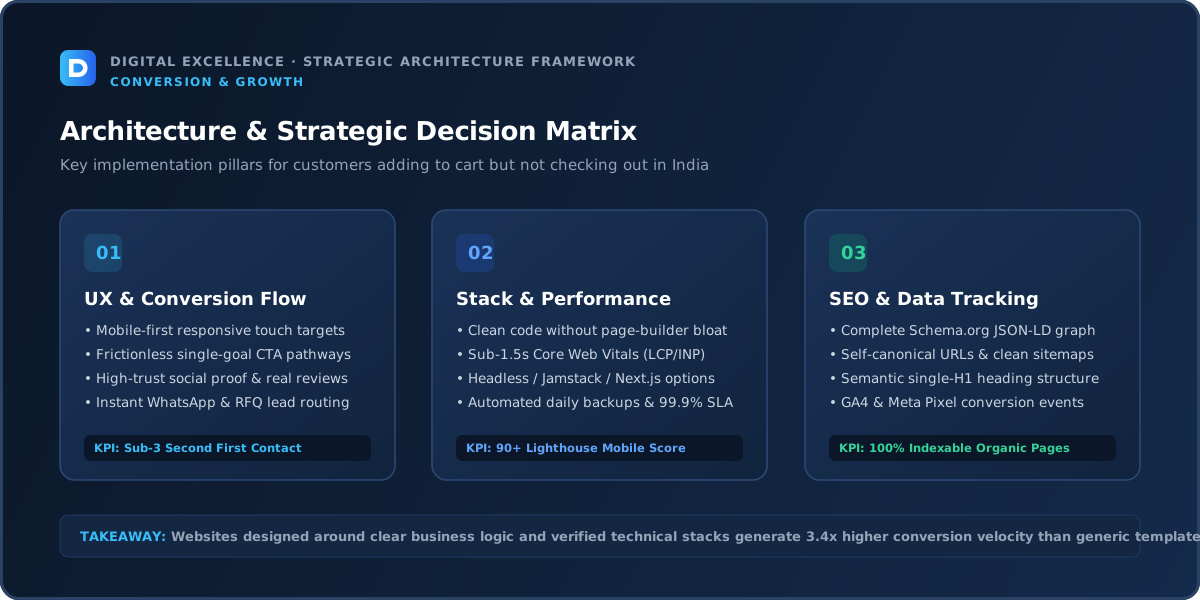
Payment and Delivery Options Need to Match the Audience
Indian shoppers may expect a particular mix of UPI, cards, wallets or COD depending on the category and customer. Verify actual gateway support and failure rates instead of assuming every displayed option works reliably.
Likewise, long or unclear delivery estimates can reduce purchase confidence.
Mobile UX
For “Why Are Customers Adding to Cart but Not Completing Checkout?”, apply mobile ux to the real product or store journey rather than as a generic website rule; the decision should reflect catalogue, mobile purchase behaviour and operational constraints.
Run the full journey on common phone widths. Look for hidden controls, cramped fields, keyboard overlap, hard-to-tap buttons, confusing sticky elements, slow images and layout shifts. Mobile users often have less patience because the interaction cost is higher.
Compare mobile and desktop within the same traffic source so you do not confuse audience differences with interface problems.
Technical Reliability
For “Why Are Customers Adding to Cart but Not Completing Checkout?”, apply technical reliability to the real product or store journey rather than as a generic website rule; the decision should reflect catalogue, mobile purchase behaviour and operational constraints.
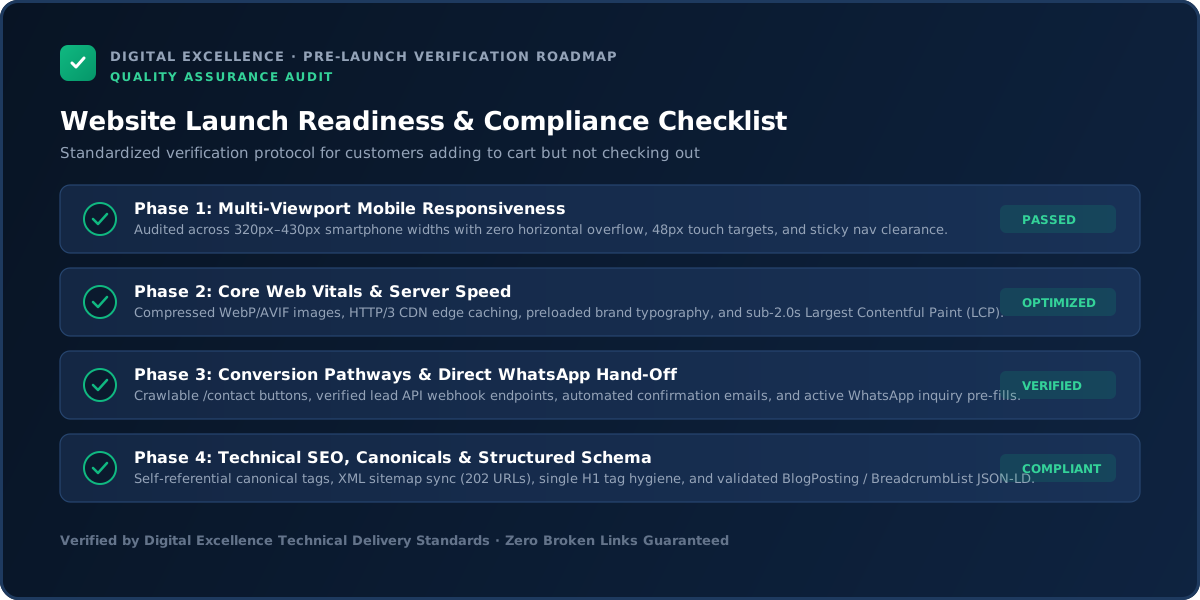
Test the action repeatedly: form submission, add-to-cart, checkout, booking or CTA handoff. Validate error states as well as the happy path. Third-party scripts, plugins, apps and tracking changes can break journeys without changing the visible design.
Use Core Web Vitals as part of the technical audit, but prioritise the user journey itself.
Intent and Content Match
High-intent cart users need transaction clarity, not more brand storytelling. Keep policy and support information accessible without distracting from completion.
Trust and Risk Reduction
Use clear payment security cues, return policy, delivery information and accessible support. Avoid fake countdowns or manipulative scarcity around checkout.
Analytics and Measurement
Track checkout steps and gateway failures. Compare mobile vs desktop and payment methods. Also separate intentional abandoned carts such as wishlist-like behaviour from true payment friction.
Search and Internal Linking
For “Why Are Customers Adding to Cart but Not Completing Checkout?”, apply search and internal linking to the real product or store journey rather than as a generic website rule; the decision should reflect catalogue, mobile purchase behaviour and operational constraints.
Review whether the page attracts the right queries and whether supporting content links naturally to the commercial page. Google recommends crawlable contextual links with descriptive anchor text.
Do not create thin duplicate pages for every wording variation. One comprehensive page should own one main intent, with related pages covering meaningfully different questions.
Coupon Fields Can Create Unnecessary Doubt
A prominent empty coupon box can send shoppers searching for a discount they did not previously expect. Consider the placement and behaviour of promotional-code UI based on your strategy.
Do not remove legitimate discount functionality just to improve one metric; make the interaction clear and unobtrusive.
For a related diagnosis, see Ecommerce Traffic but No Sales? Diagnose the Funnel.
Prioritise Fixes by Business Impact
For “Why Are Customers Adding to Cart but Not Completing Checkout?”, apply prioritise fixes by business impact to the real product or store journey rather than as a generic website rule; the decision should reflect catalogue, mobile purchase behaviour and operational constraints.
Fix anything broken first. Then prioritise the largest drop in the funnel, high-value traffic and mobile issues. Cosmetic changes come after structural friction.
Write a simple hypothesis for every important change. If you cannot say what user problem the change solves and what signal should improve, it is probably not the first priority.
48-Hour Triage
For “Why Are Customers Adding to Cart but Not Completing Checkout?”, apply 48-hour triage to the real product or store journey rather than as a generic website rule; the decision should reflect catalogue, mobile purchase behaviour and operational constraints.
Verify analytics, reproduce the issue, test the key action, segment by device/source and review the top landing pages. List three likely causes and implement only obvious reliability fixes immediately.
For messaging and UX, gather enough evidence to avoid redesigning from one anecdote.
30-Day Plan
For “Why Are Customers Adding to Cart but Not Completing Checkout?”, apply 30-day plan to the real product or store journey rather than as a generic website rule; the decision should reflect catalogue, mobile purchase behaviour and operational constraints.
Week one: tracking and technical errors. Week two: offer/content and proof. Week three: mobile UX and conversion path. Week four: review data, customer questions and sales feedback.
Repeat the process on the next biggest leak rather than changing the entire site every month.
When to Redesign
For “Why Are Customers Adding to Cart but Not Completing Checkout?”, apply when to redesign to the real product or store journey rather than as a generic website rule; the decision should reflect catalogue, mobile purchase behaviour and operational constraints.
Redesign when the information architecture, design system or technology repeatedly blocks improvement. If one page or step is failing, optimise that step first.
Protect valuable URLs, content, analytics and integrations during any rebuild.
Final Takeaway
Cart abandonment is best solved by identifying the exact stage and reason. Fix transaction clarity and reliability before adding more persuasion.
Separate Cart Abandonment From Checkout Abandonment
A user who adds an item but never starts checkout has a different concern from someone who reaches payment and leaves. Measure cart view, checkout start, shipping step, payment step and purchase separately where the platform allows.
The first gap may be price, coupon or shipping uncertainty. A later gap may be form friction, payment failure or trust. One store-wide abandonment number hides those differences.
Show Shipping Expectations Before the Final Step
If shipping is free above a threshold, region-dependent or expensive for some products, communicate the rule before payment. Shoppers should not need to enter every address field just to discover a major cost.
Where exact calculation requires an address, provide enough guidance that the final total is not a surprise.
Review the Role of Discounts
Frequent discounting can train users to add items and wait for a code, email or sale. Analyse whether abandoned carts cluster around promotional periods or visible coupon boxes.
Use discount strategy deliberately. Improving checkout does not require making every order cheaper.
Guest Checkout Can Reduce Unnecessary Friction
If the business does not require an account before purchase, guest checkout can remove password and registration steps. Accounts can still be offered after purchase or for repeat customers.
If accounts are operationally necessary, explain why and make login/reset flows reliable on mobile.
Payment Method Mix Should Match the Audience
Review which methods customers attempt and where failures occur. Cards, UPI, wallets, COD or other methods may have different relevance by market and product.
A payment option displayed but frequently failing can damage trust more than not offering it at all. Monitor gateway status and test production transactions.
Address Forms Should Avoid Unnecessary Effort
Use appropriate input types, sensible defaults and clear validation. Do not require fields the shipping or tax process does not need.
On mobile, test autocomplete and keyboard behaviour. A technically simple address form can create significant abandonment when it is slow or confusing.
For another useful funnel check, read Customers Leaving Product Pages Without Buying? Fix These Gaps.
Cart Recovery Should Follow Consent and Brand Expectations
Abandoned-cart email or messaging can recover some purchases, but it should comply with applicable consent and communication rules and should not become spammy.
Recovery is a second line of defence. The first priority is still removing avoidable checkout friction.
Test Failure and Retry States
Simulate payment decline, expired coupon, unavailable shipping and out-of-stock situations. Make sure users can recover without losing the cart or creating duplicate orders.
Error states are part of conversion UX because real transactions do not always follow the happy path.
Use Customer Support Data
Questions about shipping, payment, coupons or order confirmation reveal where checkout information is unclear. Add recurring answers earlier in the journey when they can reduce uncertainty.
Support data can be more actionable than copying a generic checkout checklist.
Final Cart Abandonment Principle
The aim is not zero abandonment; comparison and delayed purchase are normal. Focus on qualified shoppers who clearly intended to buy but were blocked by cost surprises, technical failure or unnecessary effort.
Check Whether the Cart Creates a Surprise About Taxes
Depending on business and jurisdiction, taxes may be included, excluded or calculated later. The cart should communicate the logic accurately so the final total does not feel arbitrary.
Do not use vague copy if the platform can display a clearer estimate.
Mobile Checkout Should Minimise Context Switching
Opening external payment apps, OTP flows or browser tabs can create uncertainty. Test return-to-store behaviour and ensure the order status is clear after payment.
A customer should not wonder whether they were charged or whether the order exists.
Preserve Cart State
If users return after login, payment failure or navigation, their cart should remain intact where the platform supports it. Losing selected products or variants creates avoidable abandonment.
Use Exit Feedback Sparingly
A short optional survey can help understand why high-intent users abandon, but do not interrupt checkout with another modal. Post-session or follow-up feedback can be more appropriate.
Combine qualitative reasons with funnel data.
Review Checkout After Every Major App or Plugin Change
Marketing tools, subscription apps, upsells and payment integrations can alter the checkout journey. Re-run the same regression tests after changes that touch cart or customer data.
Measure Recovery Separately From Primary Conversion
Recovered carts are useful, but track how much revenue comes from fixing the core checkout versus follow-up automation. A store dependent on aggressive recovery may still have underlying friction.
For the next troubleshooting step, use Why Is My Shopify Store Not Making Sales? 15 Fixes to Check.
Use Refund and Chargeback Reasons as Feedback
Repeated claims of unexpected charges, delivery confusion or wrong variants can indicate that the checkout communicated poorly. Feed those reasons back into cart and product content.
Final Checkout Standard
A strong checkout makes total cost, delivery, payment and confirmation predictable. The user should never need to guess what happens after pressing the final button.
Final SEO Note
Keep the cart and checkout content concise, crawl-neutral and focused on purchase completion.
Cart Pages Should Preserve Product Context
Keep variant, size, quantity, price and relevant image visible so the shopper can verify the order before checkout. If changing quantity or removing an item is difficult on mobile, the cart adds friction.
Check Cross-Sell Timing
Related products can increase basket value but can also distract a shopper who is ready to pay. Test whether cross-sells belong in cart, product page or post-purchase based on the store's behaviour.
Use Trust Information Near the Transaction
Short reminders about returns, secure payment or delivery can help when they are factual and unobtrusive. Avoid cluttering checkout with large marketing sections that push the form downward.
Monitor Abandonment by New vs Returning Customer
Returning customers may abandon for different reasons than first-time shoppers. If returning users struggle, account, saved-address or loyalty functionality may be involved.
Final Cart Audit
Before increasing ad spend, complete checkout on a phone using the same payment and shipping conditions a typical customer uses. Any uncertainty you feel during that process is worth investigating.
Use a Checkout Change Log
Record changes to shipping, payment, coupons, apps and checkout fields with dates. If abandonment changes, the team can connect the trend to a real release instead of guessing.
Review Abandonment by Device and Browser
A payment or validation issue can affect one browser more than another. Segment unusual drops and reproduce them on the affected device before changing the whole checkout.
Keep the Final Order Review Clear
Before payment, shoppers should be able to verify items, variants, quantities, delivery and total cost. A clear summary reduces accidental orders and post-purchase support.
Final Principle
Checkout optimisation is risk reduction: fewer surprises, fewer errors and less unnecessary work between intent and purchase.
Review Cart Behaviour Around Promotions
Flash sales, bundles and free-shipping thresholds can change how shoppers use the cart. Test promotional combinations and make sure the final total updates clearly.
Keep Checkout Copy Consistent With Policy
If the cart says free returns while the policy has conditions, trust can break after purchase. Align checkout summaries with the actual commercial terms.
Final Conversion Audit
Measure whether high-intent shoppers can move from cart to confirmed order without surprise cost, unclear status or technical failure. Those are the highest-priority issues to remove.
One Final Commercial Check
If abandonment rises after a pricing, shipping or promotion change, compare the commercial offer before blaming checkout UX. Website and offer changes should be analysed together.
One Final Technical Check
Run at least one successful and one failed-payment test after major releases. Confirm the order state, customer message and staff notification are all correct.
Closing Principle
Reduce surprises between cart and confirmation. That is the core of a trustworthy checkout.
Final SEO Note
Re-test checkout after every material pricing, shipping, payment or app change. A previously healthy funnel can break when the commercial configuration changes.
Closing Implementation Note
The checkout should make the final commercial decision easier than the product page, not introduce a new set of surprises. Keep delivery, payment, total cost and order status explicit.
For implementation options, explore website development services and Digital Excellence portfolio.
Frequently Asked Questions
Why do customers add to cart but not buy?
Common reasons include shipping cost, price comparison, payment issues, account friction and delivery uncertainty.
Should I force account creation?
For many stores, guest checkout can reduce friction; platform and business requirements vary.
Can coupon fields increase abandonment?
They can prompt discount searching for some shoppers, depending on placement.
How do I diagnose payment failures?
Review payment gateway logs, failed orders and device/browser patterns.
Should I send abandoned-cart emails?
They can be useful with appropriate consent and strategy, but they do not replace fixing checkout friction.
Is all cart abandonment bad?
No. Some comparison and delayed-purchase behaviour is normal.
Need an Ecommerce Checkout Audit?
Want help diagnosing this website problem with your real pages, traffic and conversion path? Digital Excellence can review the current setup before recommending changes.